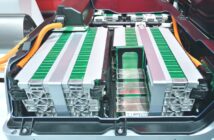
The BHS 4000A is an alarm system manufactured by ADT to provide additional security against fire, emergencies and burglary. It has a backup battery that looks like this. The battery permits the alarm system to function even when there is a power outage.

This battery automatically recharges when the house electricity is on. If the alarm keypad displays a low battery warning, that means the battery is drained of power. It is accompanied by a beeping or chirping sound that you can turn off by pressing CANCEL. In a premium keypad, you will see a LOW BATT message. In a standard keypad, you need to press OPTIONS [9] and look at the blinking light in zone 1. Turn the AC power on to recharge it for 1-2 days. If the warning persists, that means it is time to replace the battery. This usually happens in 3-5 years.
To change the battery of a BHS 4000A, these are the steps to follow:
- Purchase a new battery for BHS 4000A.
- Place the alarm system on test mode.
- Find the control panel box and it with a key or by removing the screws. This is usually found in the attic, closet or garage.
- Remove the old battery by disconnecting the wires from the terminal. In case the wires are tight, wiggle it to loosen. Begin with the black wire first before you disconnect the red wire. Use pliers with insulated handles. BE CAREFUL not to short the battery when you remove it from the control panel box.
- Take off the plastic terminal cover of the replacement battery before you connect it. Start with the red wire and connect it to the red positive terminal. Then, connect the black wire to the black negative terminal.
- Close the control panel box.
- Check the keypad display for the low battery message. Let the replacement battery recharge for 24-48 hours. If the warning persists after the 2nd day, there might be a problem with the system. Call your alarm provider.
- Recycle the old battery.
Related Articles:
How To Change The Battery In A BHS 3000C
How To Change The Battery In A BHS 1202/2000
How To Change The Battery In A BHS 1200