The ITI Concord Express is an alarm system manufactured by ADT to provide added security against fire, burglary and emergencies. It has a backup battery similar to this. It allows the system to function even when there is a power outage. Once the house electricity is back on, the battery automatically recharges. But after 3-5 years, it needs replacement.
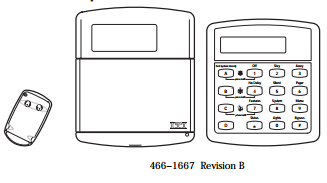
If you see that the keypad displays LOW BATT, it means the backup battery’s power is drained. It is accompanied by a beeping sound that can be turned off when you press [*] and change the arming level.
You want to turn on the AC power to recharge the battery. If 48 hours have passed and the warning is still there, it means the battery need replacing.
To change the battery of the ITI Concord Express, go through the following steps:
- Buy a replacement battery for the ITI Concord Express.
- Put the alarm system on test mode.
- Find the control panel box and open it to access the backup battery. This is usually in a closet, garage or attic.
- Disconnect the old battery starting with the black wire then the red wire. Using pliers with insulated handles, grip the connector and remove it from the terminal (black wire from negative terminal and red wire from positive terminal). If tight, try to wiggle it to loosen – do not tug on the wire. BE CAREFUL when removing the battery to avoid a short.
- Remove the plastic protector on the terminals of the new battery. Connect the red wire to the positive terminal (red) before you connect the black wire to the negative terminal (black).
- Close the control panel box.
- Give the new battery 1-2 days to recharge. If the LOW BATT warning persists after 48 hours, there might be some trouble with the system.
- Dispose the old battery properly by recycling it.
Related Articles:
How To Change The Battery In a GE Security Concord 4
How To Change The Battery In A DSC Power Series PC1864
How To Change The Battery In A DSC Power Series PC1832