Smartphone users want slimmer phones that take less time to charge. This can run counter to engineering logic with quite spectacular results. As long as manufacturers shoehorn even more technology into even tinier spaces, there will be mechanical failures. Do you have a new smartphone that takes longer to charge than you think it should? If so, here are some possibilities to discuss with your supplier.
Taking Longer to Charge Because of Charger Output
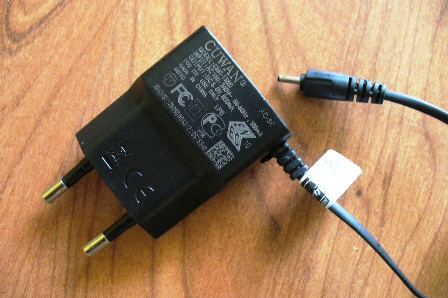
Cell phone chargers are mostly fool-proof under ideal usage conditions. However, they can start to malfunction when there is a power failure followed by a surge. If we accidentally drop them from a height onto a hard surface, this can cause mechanical derangement inside the charger. This can reduce the output current so your phone takes longer to charge. Ask your supplier to test the charger for you.
A Faulty Micro USB Cable or Port Could be the Cause

USB cables are cheap enough to throw away when in doubt. If you can, please dispose of a suspect one at a recycling site. The USB port on the phone is a different matter as it could be costly to replace. First, remove the battery. Then gently remove any dirt from the connectors with a rapidly drying electrical cleaner. Do both ends of the cable, plus both the charger and phone slots.
Finally, the Battery May Simply Be Past Its Useful Life
As batteries age, they start wearing out. They take longer to charge. This uses more electricity and generates more heat. In extreme cases, they could damage the smartphone irretrievably or even ignite. If in any doubt take the lithium battery to your dealer, and ask them to test it. It is not worth taking chances, especially when your phone could suddenly fail in the middle of an important conversation. If it is taking longer to charge, this could happen anytime so arrange the test soon.
Related
The Stressful Life of Smartphone Batteries
Developing a Longer Life Smartphone Battery
Preview Image: Mood Lamps from Old Phone Chargers